
If your organization already runs Microsoft 365 and collaboration is the priority, Teams Phone is the natural fit. If voice quality, advanced call routing, and contact-center features are mission-critical, RingCentral wins on telephony depth. Here is the short version:
- Choose Microsoft Teams Phone if your team lives in Microsoft 365, your call volume is moderate, and you want one app for chat, meetings, and calls without managing a separate UCaaS platform.
- Choose RingCentral if carrier-grade voice reliability, IVR/ACD queues, supervisor monitoring, and broad CRM integrations are non-negotiable from day one.
- Consider a hybrid pattern if you need both: keep Teams for internal collaboration and layer a dedicated UCaaS on top for customer-facing voice. Many organizations run exactly this configuration to avoid the telephony gaps Teams Phone leaves at the enterprise edge.
The rest of this guide unpacks why, with pricing ranges, a migration checklist, and the licensing traps that catch IT teams off guard.
Table of Contents
- How do Teams Phone and RingCentral compare at a glance?
- How do the phone system features actually compare?
- What does the collaboration experience look like for your team?
- What does pricing actually look like, and where do costs hide?
- How do integrations and ecosystem fit compare?
- How do you deploy and administer each platform?
- What security and compliance controls do you need to verify?
- How do you decide, and what does the migration checklist look like?
- What is the final recommendation, and what should you do in the next 30 days?
- Key Takeaways
- What most IT teams get wrong about this decision
- Rivell helps you deploy the right platform without the guesswork
- Useful sources and further reading
How do Teams Phone and RingCentral compare at a glance?
| Dimension | Rivell LLC (Managed Implementation) | Microsoft Teams Phone | RingCentral (RingEx) |
|---|---|---|---|
| Best for | NJ businesses needing managed migration, hybrid deployments, or compliance support | Microsoft 365 shops prioritizing collaboration over advanced telephony | Voice-first organizations needing carrier-grade telephony and contact-center features |
| Pricing model | Managed services contract (recurring); project-based for migrations | Per-user add-on license + separate Calling Plan or carrier fees | Per-user SaaS subscription; contact-center add-ons priced separately |
| Telephony features | Implements and manages either platform; Direct Routing/SBC support | IVR, basic queues, call recording (compliance add-on), four PSTN models | Advanced IVR/ACD, supervisor monitoring, call recording included at higher tiers |
| Collaboration | Manages Microsoft 365 environments including Teams | Best-in-class: native chat, file sharing, meetings, SharePoint, OneDrive | Solid video/chat; less tightly integrated with non-RingCentral apps |
| Integrations | Microsoft 365, VoIP, CCaaS, CRM connectors | Dynamics 365, SharePoint, Power Platform natively; third-party via connectors | Salesforce, HubSpot, ServiceNow, Zendesk natively; 300+ app marketplace |
| Admin & provisioning | Fully managed; SBC/Direct Routing handled by Rivell engineers | Teams Admin Center; complex voice routing requires specialist knowledge | Purpose-built admin portal; simpler for voice-only provisioning |
| Security & compliance | HIPAA, SOC 2 project experience; compliance-focused for regulated industries | Microsoft Purview eDiscovery, retention, encryption; HIPAA BAA available | SOC 2 Type II, HIPAA BAA available; compliance recording at higher tiers |
| Migration effort | Low for client (Rivell handles porting, SBC, cutover) | Moderate to high; voice routing policies often misconfigured | Low to moderate; number porting straightforward with RingCentral support |
Biggest trade-offs to watch:
- Teams Phone is a telephony layer added to a collaboration hub, not a purpose-built phone system. Advanced call routing and supervisor features require more configuration and often more licensing.
- RingCentral's contact-center features (RingCX) and compliance recording live at higher tiers or as separate add-ons, so the base plan price understates real TCO for call centers.
- Direct Routing for Teams requires a Session Border Controller (SBC). That is either a capital expense or a managed service cost that rarely appears in initial budget estimates.
Choose-if summary:
- Teams Phone: You are already paying for Microsoft 365 E3/E5 and want to consolidate tools.
- RingCentral: Voice uptime, ACD queues, and CRM call logging are daily operational requirements.
- Rivell managed services: You want the right platform deployed correctly, without building internal expertise for a one-time migration.
How do the phone system features actually compare?
The core difference is architectural: Teams Phone is a telephony layer built onto a collaboration hub, while RingCentral is a purpose-built voice infrastructure with collaboration features added on top. That distinction shows up immediately when you look at what each platform delivers without extra configuration.

IVR, ACD, and call queues
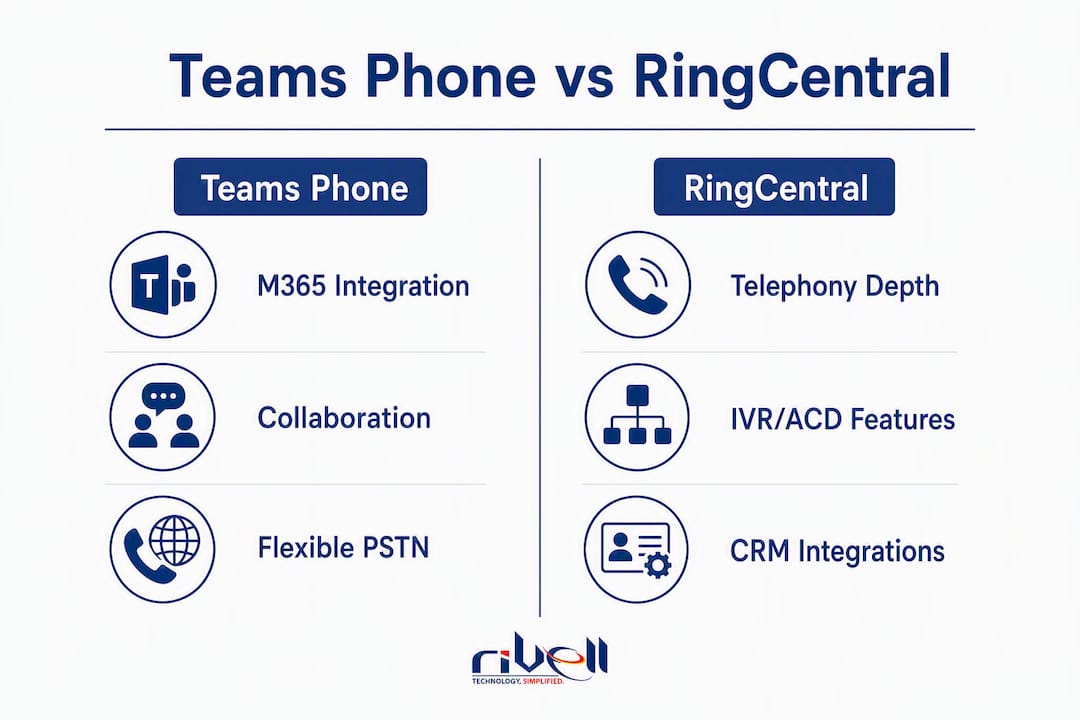
Teams Phone supports auto-attendants and call queues natively, but the configuration lives inside Teams Admin Center and requires resource accounts, licensing assignments, and dial plan setup. It works, but it is not simple. RingCentral's IVR is a dedicated module with a visual drag-and-drop editor, multi-level menus, and callback options that most Teams Phone configurations cannot match without third-party add-ons.
ACD (automatic call distribution) in Teams is functional for basic scenarios. For skills-based routing, priority queuing, or overflow handling across multiple queues, RingCentral's purpose-built ACD is the stronger choice.
Supervisor features and call monitoring
RingCentral includes call monitoring, whisper, and barge-in at its core business tiers. Teams Phone offers call monitoring through compliance recording integrations, but real-time supervisor features require additional configuration and, in many cases, a third-party contact-center solution sitting on top.
Call recording
This is one of the most common hidden-cost items in Teams Phone deployments. Basic convenience recording is available, but compliance-grade recording (with retention, eDiscovery, and chain-of-custody controls) requires Microsoft's compliance recording framework and a certified third-party recording partner. RingCentral includes automatic call recording at higher tiers and offers compliance recording as an add-on, which is still an extra cost but a more integrated one.
PSTN connectivity options
Teams Phone offers four PSTN models: Microsoft Calling Plan, Operator Connect, Teams Phone Mobile, and Direct Routing. For organizations under roughly 100 users with no legacy PBX, Operator Connect is the cleanest path. Direct Routing gives maximum carrier flexibility but requires an SBC, which adds cost and operational complexity. RingCentral handles PSTN connectivity through its own carrier infrastructure, which simplifies provisioning but removes the ability to bring your own carrier.

Pro Tip: 56% of Teams tenants fail to configure an emergency calling location policy during rollout. E911 compliance is not automatic when you assign a Teams Phone license. Build location policy configuration into your deployment checklist before go-live, not after.
Analytics
RingCentral's analytics suite includes real-time dashboards, historical reporting, and call quality metrics across its business tiers. Teams Phone analytics live inside the Teams Admin Center and Microsoft 365 reporting tools, which are solid for IT monitoring but less suited to contact-center performance management. For VoIP call quality troubleshooting, Teams provides the Call Quality Dashboard (CQD), which is genuinely useful for network diagnostics.
What does the collaboration experience look like for your team?
This is where Teams Phone wins decisively, and it is not close. Microsoft Teams is one of the most widely adopted collaboration platforms in the world, and the native integration with SharePoint, OneDrive, Outlook, and the broader Power Platform is something RingCentral cannot replicate through connectors alone.
Where Teams dominates:
- A single app for chat, file co-editing, meetings, and calls, with no context switching.
- Meeting recordings stored directly in OneDrive or SharePoint, searchable and accessible from the same workspace.
- Copilot AI features (meeting summaries, live transcription, action-item extraction) built into the Microsoft 365 subscription at E3/E5 tiers.
- Channel-based collaboration that keeps project conversations, files, and calls in one place.
Where RingCentral holds its own:
- RingCentral's video meetings (RingCentral Video) are reliable and include AI meeting summaries and transcription.
- Team messaging and file sharing work well for organizations not already on Microsoft 365.
- The platform is genuinely cross-platform: it does not assume a Microsoft-first environment, which matters for mixed-OS or Google Workspace shops.
For a hybrid team that already uses Teams daily for project work, adding Teams Phone keeps the user experience intact. Asking that same team to switch to a separate app for calls creates friction, and friction drives shadow IT. The PCMag comparison notes that Teams' Microsoft app integration is exceptional, while RingCentral has matured into a full-featured suite with strong AI features of its own.
Concrete use-case examples:
- A 40-person professional services firm on Microsoft 365 E3 adds Teams Phone. Users never leave Teams. Calls, files, and meetings stay in one pane. IT manages one vendor.
- A 150-seat insurance company needs skills-based ACD routing, compliance call recording, and Salesforce screen-pop on inbound calls. RingCentral handles all three natively; Teams Phone requires multiple add-ons and a third-party contact-center layer.
- A healthcare practice needs HIPAA-compliant messaging and calls, plus integration with an EHR. Both platforms offer HIPAA BAAs, but the EHR integration path determines the winner, not the collaboration features.
What does pricing actually look like, and where do costs hide?
Neither platform publishes a single all-in price, and the gap between the advertised per-user rate and the real monthly cost per seat is where most procurement teams get surprised.
Microsoft Teams Phone typical cost components:
- Microsoft 365 Business Basic or E3/E5 subscription (required base).
- Teams Phone Standard add-on license (required for PSTN calling).
- Calling Plan (domestic or international) per user per month, OR Operator Connect carrier fees, OR Direct Routing SBC costs (hardware/hosted SBC plus carrier).
- Compliance recording: third-party certified partner, billed separately.
- Advanced analytics or contact-center features: third-party add-on.
RingCentral typical cost components:
- RingEx Core, Advanced, or Ultra per-user subscription.
- Contact-center (RingCX) priced as a separate product.
- Compliance recording and advanced analytics at higher tiers or as add-ons.
- International calling bundles if needed.
Example cost ranges (validate directly with vendors before budgeting):
- Small business: Teams Phone on Microsoft 365 Business Basic with Calling Plan can run roughly $20–$35 per user per month all-in. RingCentral Core starts lower per seat but add-ons for recording and analytics push comparable configurations higher.
- Mid-market: Direct Routing deployments for Teams add SBC costs that can vary depending on whether you use a hosted SBC service or manage your own. RingCentral Advanced tier with CRM integration typically lands in a mid-range price before contact-center add-ons.
- Enterprise: Both platforms offer volume pricing. The VoIP business advantages of consolidating on a single UCaaS platform become more pronounced at scale, but so do the compliance recording and analytics costs.
Hidden-cost items to put on your procurement checklist:
- Compliance recording storage and retention (both platforms).
- Emergency location setup and E911 service fees.
- Number porting fees (per number, per carrier).
- SBC hardware or hosted SBC service for Direct Routing.
- International calling overages.
- Microsoft Copilot add-on if AI meeting features are required.
One TCO note worth flagging: organizations already on Microsoft 365 E5 get Teams Phone Standard included. If your licensing audit shows E5 seats, the incremental cost to enable calling is just the PSTN connectivity method, which changes the math significantly compared to starting from scratch.
How do integrations and ecosystem fit compare?
The integration story is where the two platforms diverge most sharply, and the right answer depends entirely on which apps your team actually uses every day.
Microsoft Teams Phone integrations:
- Native: Dynamics 365, SharePoint, OneDrive, Power Automate, Power BI, Azure Active Directory, Outlook.
- Third-party: Salesforce, ServiceNow, and hundreds of others via the Teams app store, though most require a connector or middleware layer.
- API: Microsoft Graph API is mature and well-documented, with strong support for automation and reporting exports.
RingCentral integrations:
- Native: Salesforce, HubSpot, ServiceNow, Zendesk, Google Workspace, and 300+ apps in the RingCentral marketplace.
- Contact-center: RingCX integrates with major CCaaS workflows and CRM screen-pop natively.
- API: RingCentral's REST API and webhooks are well-regarded for call event data, recording retrieval, and analytics exports.
| Integration need | Teams Phone | RingCentral |
|---|---|---|
| Microsoft 365 / Dynamics 365 | Native, no middleware | Connector required |
| Salesforce CRM | Connector (Teams app store) | Native, screen-pop included |
| Google Workspace | Limited | Native |
| ServiceNow | Connector | Native |
| Power Automate / Power BI | Native | Connector required |
| Contact-center (CCaaS) | Third-party add-on required | RingCX native or add-on |
| Custom API / webhooks | Microsoft Graph API | RingCentral REST API |
For regulated industries, the practical question is whether your case management system, patient portal, or compliance workflow has a certified integration before you commit. Both platforms have APIs capable of custom integration, but native connectors reduce implementation time and ongoing maintenance risk considerably.
How do you deploy and administer each platform?
Admin portals and provisioning
Teams Admin Center is powerful but assumes familiarity with Microsoft's licensing model, voice routing policies, and tenant architecture. Provisioning a new user for calling involves assigning a Microsoft 365 license, a Teams Phone license, a PSTN connectivity method, a phone number, a voice routing policy, a dial plan, and an emergency calling location. Each step is documented, but the sequence is not forgiving of gaps.
RingCentral's admin portal is purpose-built for telephony. Adding a user, assigning a number, and configuring call handling takes minutes. The trade-off is that it is a separate admin surface from whatever identity and device management your IT team already uses.
PSTN deployment options and SBC complexity
Direct Routing for Teams is the most flexible PSTN option but also the most operationally demanding. You need a certified SBC, a carrier SIP trunk, and ongoing SBC management. Operator Connect removes the SBC burden by letting Microsoft-certified carriers provision directly into your tenant, which is the right call for most organizations under 100 seats.
RingCentral manages its own carrier infrastructure. There is no SBC to configure or maintain on your side, which is a genuine operational simplification.
Deployment timeline examples
50-seat deployment:
- Discovery and licensing audit (1–2 weeks).
- Number porting request submitted (2–4 weeks, carrier-dependent).
- Pilot group of 10 users (1 week).
- Full rollout and training (1–2 weeks).
- Cutover and legacy system decommission (1 week).
250-seat deployment:
- Discovery, network readiness assessment, and numbering plan (2–3 weeks).
- SBC or Operator Connect provisioning (1–2 weeks for Teams; not applicable for RingCentral).
- Number porting in batches (4–6 weeks).
- Pilot group of 25–50 users (2 weeks).
- Phased rollout by department (4–6 weeks).
- Training, cutover, and hypercare period (2 weeks).
Pro Tip: Never port all numbers in a single batch. Port a small group first, validate call quality and routing, then proceed in waves. A failed bulk port can leave an entire office without inbound calls for days.
What security and compliance controls do you need to verify?
Both platforms meet baseline enterprise security requirements, but the specifics matter for regulated industries.
Encryption: Both Teams Phone and RingCentral encrypt calls and data in transit (TLS/SRTP) and at rest. Neither platform is a weak link on basic encryption.
Compliance recording: Teams Phone requires a certified third-party compliance recording partner integrated via the Microsoft compliance recording framework. This is an additional vendor relationship and cost. RingCentral includes automatic recording at higher tiers and offers compliance recording as an add-on, with storage and retention controls built into the platform.
eDiscovery and retention: Microsoft Purview provides eDiscovery, legal hold, and retention policies for Teams content, including call recordings stored in OneDrive/SharePoint. This is a genuine strength for organizations already in the Microsoft compliance ecosystem. RingCentral offers its own retention and export tools, but they are less integrated with enterprise legal workflows than Purview.
HIPAA and SOC 2: Both platforms offer HIPAA Business Associate Agreements. SOC 2 Type II reports are available from both vendors. For healthcare and legal clients, the BAA is necessary but not sufficient: you also need to verify that your specific configuration (recording, CRM integration, third-party connectors) is covered under the BAA scope.
| Compliance control | Teams Phone | RingCentral |
|---|---|---|
| Encryption (in transit/at rest) | TLS/SRTP, AES | TLS/SRTP, AES |
| Compliance recording | Third-party certified partner required | Add-on; built-in at higher tiers |
| eDiscovery | Microsoft Purview (native) | Platform export tools |
| Retention policies | Microsoft Purview (native) | Platform-level controls |
| HIPAA BAA | Available | Available |
| SOC 2 Type II | Available | Available |
The integration that most often breaks compliance expectations: connecting call recordings to a CRM. When a recorded call is automatically logged in Salesforce or HubSpot, the recording may leave the compliant storage environment and land in a system not covered by your BAA. Verify the data flow before enabling CRM call logging in any regulated environment.
How do you decide, and what does the migration checklist look like?
Prioritized decision criteria
- Voice SLA requirements: If uptime and call quality are contractual obligations, RingCentral's purpose-built infrastructure is the lower-risk choice.
- Microsoft 365 investment: If you are already on E3/E5, the incremental cost and integration benefit of Teams Phone is hard to ignore.
- Telephony feature depth: IVR complexity, ACD queues, and supervisor tools favor RingCentral out of the box.
- Compliance obligations: Both platforms support HIPAA and SOC 2, but the compliance recording architecture differs significantly.
- Integration ecosystem: Microsoft-first shops lean Teams; Salesforce/Google Workspace shops lean RingCentral.
- Internal IT capacity: Teams Phone requires more specialist knowledge to configure correctly. If your IT team is generalist, a managed provider or RingCentral's simpler provisioning model reduces deployment risk.
Migration checklist
- Audit current phone numbers, DID inventory, and carrier contracts (note porting timelines and early-termination fees).
- Document all call flows: auto-attendants, hunt groups, call queues, after-hours routing.
- Assess network readiness: bandwidth, QoS configuration, and firewall rules for VoIP traffic.
- Identify compliance recording requirements and verify vendor BAA scope.
- Map CRM and third-party integrations to confirm native support or connector availability.
- Define a numbering plan for the new platform.
- Select PSTN connectivity method (Teams: Calling Plan, Operator Connect, or Direct Routing; RingCentral: native carrier).
- Run a pilot with 10–20 users before committing to full rollout.
- Schedule number porting in batches with a rollback plan for each batch.
- Train end users and administrators before cutover.
- Plan a hypercare period of at least two weeks post-cutover with dedicated support coverage.
Migration timeline table
| Phase | Small (10–50 seats) | Mid-market (over 50 seats) |
|---|---|---|
| Discovery & planning | one to two weeks | two to three weeks |
| Network readiness | about one week | one to two weeks |
| SBC/connectivity setup | about one week (if needed) | one to two weeks |
| Number porting | multiple weeks depending on carrier | multiple weeks depending on carrier |
| Pilot | approximately one week | approximately two weeks |
| Phased rollout | one to two weeks | several weeks |
| Training & cutover | about one week | about two weeks |
| Hypercare | around two weeks | two to three weeks |
Vendor questions to ask during RFP or demo
- What is your SLA for call uptime, and how is it measured and credited?
- What compliance recording partners are certified, and what is the additional per-user cost?
- How are number porting timelines guaranteed, and what is the escalation path for delays?
- What does E911 configuration require, and who is responsible for location policy updates?
- What is included in your standard support tier, and what requires a premium support contract?
- How are software updates and security patches managed, and what is the change notification process?
Pro Tip: Run your pilot on a live production number, not a test DID. Real inbound calls from customers reveal routing, quality, and E911 issues that internal test calls never surface.
For help choosing a VoIP provider and structuring your RFP, Rivell's procurement guidance covers the questions most IT teams skip.
What is the final recommendation, and what should you do in the next 30 days?
The right platform depends on one question: is voice a utility or a competitive differentiator for your business?
For most Microsoft 365 organizations: Teams Phone is the right starting point. The licensing consolidation, single-app experience, and native Microsoft 365 integration outweigh the telephony gaps for organizations with moderate call volumes and no contact-center requirements.
For voice-first or contact-center operations: RingCentral's purpose-built telephony, IVR depth, and CRM integrations justify the separate platform cost. The productivity gains from a dedicated VoIP system are most pronounced when the platform is built around voice, not bolted onto a collaboration hub.
For complex or regulated environments: A hybrid deployment, managed by a provider with Direct Routing and compliance experience, is often the lowest-risk path.
Your 30-to-60-day action plan
- Pilot (days 1–30): Select 10–20 users across IT, operations, and customer-facing roles. Deploy your preferred platform with real production numbers. Measure call quality, user adoption, and integration performance against your current system.
- Procurement (days 15–45): Run the vendor questions above through a formal RFP or demo process. Get written confirmation on SLAs, compliance recording scope, and porting timelines. Involve finance (TCO model), security (BAA and compliance recording), and network (QoS and bandwidth).
- Deploy (days 30–60): Use the migration checklist above. Port numbers in batches. Schedule a two-week hypercare period with your vendor or managed provider on standby.
Rivell works with New Jersey businesses on exactly this process: platform assessment, managed migration, Direct Routing/SBC configuration, and ongoing monitoring after go-live. If you want a structured assessment before committing to a platform, that is the right first step.
Key Takeaways
Teams Phone wins on Microsoft 365 integration and collaboration; RingCentral wins on telephony depth, IVR/ACD features, and CRM integrations, and a hybrid deployment often delivers the best of both.
| Point | Details |
|---|---|
| Platform fit | Teams Phone suits Microsoft 365 shops; RingCentral suits voice-first and contact-center operations. |
| Hidden costs | Compliance recording, SBC setup, E911 configuration, and number porting fees add materially to both platforms' base prices. |
| E911 risk | 56% of Teams tenants miss emergency calling location policy configuration, creating a compliance and safety gap. |
| Hybrid pattern | Keeping Teams for collaboration and adding a dedicated UCaaS for customer-facing voice is a proven, lower-risk architecture. |
| Rivell managed services | Rivell handles Teams Phone and RingCentral migrations for New Jersey businesses, including Direct Routing, SBC setup, and compliance support. |
What most IT teams get wrong about this decision
The framing of "Teams Phone vs RingCentral" implies a clean either/or choice, and that framing causes most of the mistakes I see in this space. Organizations pick Teams Phone because they already pay for Microsoft 365 and assume the telephony layer is good enough. It often is, for internal calls and moderate inbound volume. But the moment a business adds a contact center, a compliance recording requirement, or a Salesforce integration that needs screen-pop on inbound calls, the "good enough" assumption collapses fast.
The reverse mistake is just as common: organizations buy RingCentral for its telephony depth and then spend months trying to replicate the Teams collaboration experience inside a platform that was never designed for it. Users end up running both apps anyway, which defeats the consolidation argument entirely.
The hybrid pattern is not a compromise. It is the architecturally correct answer for organizations that need both carrier-grade voice and Microsoft 365 collaboration. The implementation complexity is real, but it is manageable with the right SBC configuration and a clear integration plan. What makes it fail is treating it as a temporary workaround rather than a deliberate architecture decision with proper governance.
One more thing: licensing assumptions kill more deployments than technical problems. Teams Phone Standard is included in Microsoft 365 E5, but most organizations are not on E5 across the board. A mixed E3/E5 tenant with a few hundred users can have a surprisingly complex licensing picture once you add Calling Plans, compliance recording, and Copilot. Audit before you commit.
Rivell helps you deploy the right platform without the guesswork
Choosing between Teams Phone and RingCentral is one decision. Getting the deployment right is another. Rivell provides managed IT services for New Jersey businesses that cover the full implementation lifecycle: platform assessment, Direct Routing and SBC configuration, number porting, compliance recording setup, Microsoft 365 administration, and ongoing monitoring after go-live.
For regulated industries like healthcare and legal, Rivell brings compliance-focused project experience that generic VoIP resellers do not. For businesses that want the hybrid architecture described in this guide, Rivell handles the SBC layer and the Microsoft 365 integration so your IT team does not have to build that expertise for a one-time migration. The benefits of a managed IT approach are clearest at the point where platform complexity meets compliance requirements. Contact Rivell to request a platform assessment and get a clear deployment plan before you sign with any vendor.
Useful sources and further reading
Vendor documentation:
- Microsoft Teams Phone overview — official feature list, licensing options, and PSTN connectivity models.
- RingCentral plans and pricing — current tier breakdown, add-on pricing, and contact-center options. Validate pricing directly; it changes frequently.
- Microsoft Teams Phone Admin Guide (Wintive) — detailed walkthrough of PSTN models, voice routing policy configuration, and common admin pitfalls including E911 setup.
Independent comparisons:
- PCMag: Microsoft Teams vs. RingCentral Office — editorial comparison covering collaboration, telephony, and integration trade-offs.
- ITG Group: Microsoft Teams Phone vs RingCentral 2026 — IT consultant perspective on the collaboration-first vs phone-first architecture distinction and hybrid deployment patterns.
- GetVoIP: RingCentral vs Microsoft Teams — feature-by-feature breakdown with pricing context.
Rivell resources:
- What is VoIP? — foundational explainer for procurement teams new to cloud telephony.
- IT infrastructure management services in NJ — Rivell's infrastructure services relevant to SBC hosting and network readiness.
Prices, SLAs, and feature availability change. Confirm current terms directly with Microsoft and RingCentral before finalizing any procurement decision.