
Phishing attacks hit everyone, but attackers spend their real effort on a much shorter list: executives, finance and HR staff, IT administrators, help desk teams, and the managed service providers that connect to dozens of client networks at once. Credential theft made up 94% of payload-based phishing attacks in Q1–Q2 2026, which tells you exactly what attackers are after — not your files, your login.
Common phishing targets fall into four broad categories:
- Individuals and consumers — targeted for banking credentials, payment data, and account takeovers via smishing and mass email campaigns
- High-value employees — executives, finance, HR, IT admins, and help desk staff who control money, data, or access
- Critical systems and platforms — Microsoft 365, Google Workspace, identity providers, and remote access gateways where one credential unlocks many downstream resources
- Third-party suppliers and MSPs — vendors and managed providers whose access to client environments makes them a force-multiplier target
The volume keeps climbing: APWG recorded 971,181 phishing attacks in Q1 2026, a 13.8% increase from the previous quarter. What's changed isn't just the count. Modern campaigns are AI-personalized, workflow-aware, and engineered to pass every technical filter you've deployed.
Table of Contents
- What types of phishing target which victims?
- Why do attackers choose specific targets?
- Which roles and industries face the highest phishing risk?
- How do attackers research and prepare their targets?
- How can you recognize targeted phishing before it's too late?
- What should you do immediately if you're targeted?
- How do you harden systems against targeted phishing?
- Key Takeaways
- The phishing threat most organizations are still underestimating
- How Rivell helps New Jersey businesses defend against targeted phishing
- Useful sources and further reading
What types of phishing target which victims?
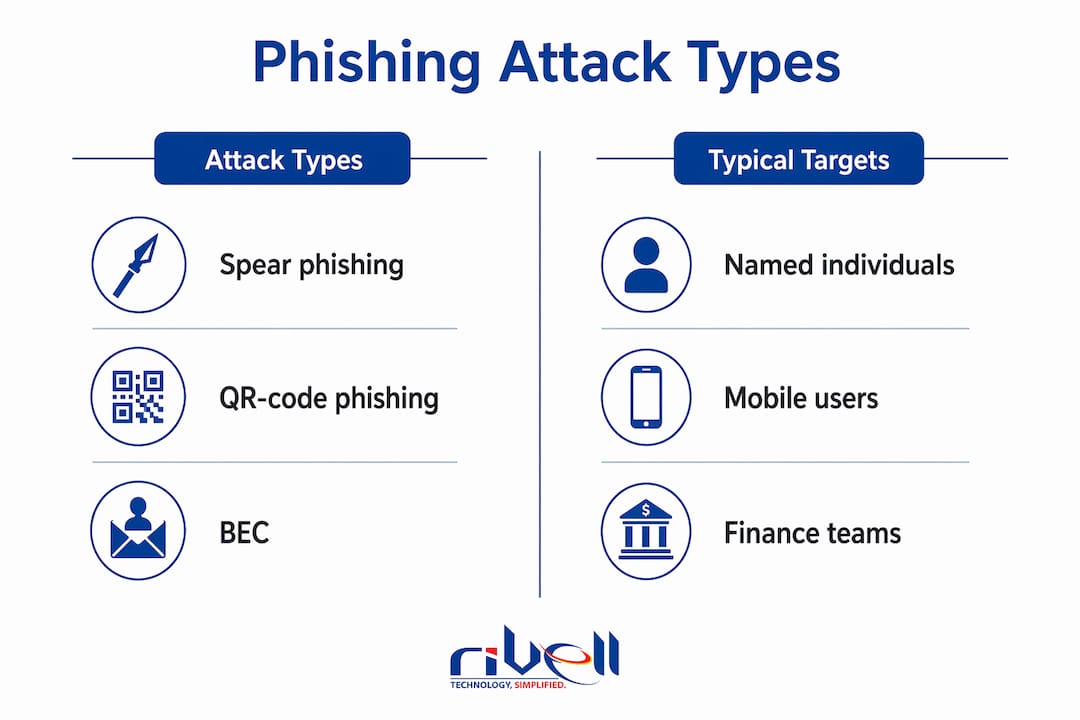
Phishing is not one tactic. It's a family of techniques, each tuned to a specific victim profile. The table below maps the main variants to their typical targets and a representative lure.
| Type | Typical Targets | Representative Lure |
|---|---|---|
| Spear phishing | Named individuals, mid-level managers, IT staff | Personalized email referencing a real project or colleague |
| Whaling | C-suite executives (CEO, CFO, COO) | Fake board document, legal notice, or SEC filing request |
| Business Email Compromise (BEC) | Finance, payroll, accounts payable | Wire transfer request appearing to come from the CEO or a known vendor |
| Smishing | Consumers, payroll staff, remote workers | Fake delivery notification or HR benefits text with a credential-harvesting link |
| Vishing | Help desk staff, IT admins, finance | Caller impersonating IT support or a bank fraud team |
| Quishing (QR-code phishing) | Any email recipient, especially mobile users | QR code in an invoice or HR document that bypasses email scanners |
| Calendar-invite phishing | Executives, sales, remote workers | Fake meeting invite with a malicious link in the location or notes field |
| Teams/IM phishing | Corporate users on Microsoft Teams or Slack | Message from a "vendor" or "IT support" account requesting credentials |
| Clone phishing | Anyone who receives legitimate newsletters or alerts | Exact copy of a real email with the link swapped for a malicious one |
| AiTM / reverse-proxy | MFA-enabled accounts, executives, finance | Fake login page that relays credentials and captures the session token in real time |
QR-code phishing and Teams-based attacks surged sharply in early 2026, according to Microsoft and KnowBe4 telemetry, specifically because they route around conventional email scanners. A user scans a QR code with their phone, which typically runs weaker security controls than a corporate laptop, and lands on a credential-harvesting page before any gateway has a chance to flag it.
BEC deserves a separate note on timing. 87–92% of BEC initial contact emails are innocuous messages — something like "Are you available?" — designed to establish rapport before the financial request arrives. By the time the wire transfer request lands, the target has already replied once and lowered their guard.
Why do attackers choose specific targets?
The economics are straightforward: attackers want the highest return for the least effort. That calculus points to a short list of objectives.
- Credential and session token theft — one set of Microsoft 365 credentials unlocks email, SharePoint, Teams, OneDrive, and every connected SaaS app. Session tokens go further: they bypass MFA entirely because the attacker inherits an already-authenticated session.
- Direct financial fraud — BEC wire transfer requests averaged $83,099 per incident in Q2 2025, a 97% jump from the prior quarter.
- Access to sensitive data — healthcare records, legal files, and HR data carry high resale value and regulatory leverage.
- Supply-chain reach — compromising one vendor or MSP opens doors to every client that vendor touches.
Collaboration platforms, identity systems, and remote access gateways are the primary application targets because a single credential provides lateral movement across an entire organization. That's the core logic: attackers aren't after one inbox, they're after the keys to the building.
AI has changed the scale of personalization dramatically. Industry telemetry indicates a high share—reported above 80%—of phishing campaigns are now AI-driven or automated, meaning attackers can craft contextually accurate, grammatically clean lures at a volume that was impossible three years ago. The era of the obvious misspelling as a detection signal is largely over.
Attackers also time campaigns deliberately. Finance teams get hit at quarter-end. Accounting staff face surges during tax season. Payroll staff are targeted on the days before pay runs. This isn't coincidence — it's operational planning designed to exploit the moments when employees are busiest and most likely to act without verifying.
Which roles and industries face the highest phishing risk?
The roles attackers prioritize
Finance and accounts payable sit at the top of most target lists because they control wire transfers and can be manipulated into moving money quickly. HR staff hold payroll data and W-2 information, making them the preferred route for payroll diversion scams. Executives are targeted for whaling and BEC because their authority means a request from them rarely gets questioned.

IT administrators and help desk staff are increasingly high-value targets, and the reason is subtle. An attacker who compromises an IT admin gets privileged access to the entire environment. Help desk staff are targeted differently: through pretexting calls where the attacker impersonates a locked-out employee and pressures the agent into resetting credentials or bypassing MFA. The Marks & Spencer breach in April 2025 is the clearest recent example — attackers used social engineering against service desk personnel to reset credentials, triggering a ransomware attack that wiped over $400 million from the company's market value.
Legal and sales teams round out the high-risk list. Legal staff handle privileged communications and settlement data. Sales teams have external-facing email habits and often click links quickly.
Industries under the most pressure
Financial services and SaaS/webmail providers together accounted for the largest share of phishing attacks in Q2 2025, with financial institutions taking 18.3% of all attacks that quarter. Healthcare is the costliest sector when attacks succeed: the Change Healthcare breach in February 2024 started with compromised credentials on a portal that lacked MFA, ultimately exposing 192.7 million patient records and costing UnitedHealth Group over $872 million in recovery costs.
Professional services, telecom, and manufacturing have all seen rising attack volumes. The common thread is high digital transaction volume and customer interaction touchpoints.
MSPs as a special-case target
Compromising a single MSP can give an attacker simultaneous access to dozens of client networks, cloud tenants, and backup systems — a force-multiplier that no individual enterprise target can match.
MSP compromise is a documented priority for sophisticated threat actors precisely because of this leverage. One successful phish against an MSP technician's credentials can cascade into breaches across every client that MSP manages. For small and mid-sized businesses in New Jersey and across the country, this means your security posture is partly a function of your IT provider's security posture.
Pro Tip: Require your MSP or IT provider to demonstrate phishing-resistant MFA (FIDO2/passkeys) on all admin accounts and to maintain a separate privileged access workstation for client environment management. Ask for evidence, not assurances.
How do attackers research and prepare their targets?
Targeted phishing doesn't start with an email. It starts with reconnaissance, often days or weeks before the lure arrives. Here's the typical sequence:
- LinkedIn and corporate bios — attackers map org charts, reporting lines, and role titles. A new CFO announcement is a gift: it tells them who controls the money and who is new enough to be uncertain about internal processes.
- New-hire announcements and onboarding signals — employees are targeted before they complete security training. Attackers monitor job boards, LinkedIn "new position" posts, and company news pages to identify fresh targets.
- Public filings and press releases — SEC filings, press releases, and earnings calls reveal vendor relationships, upcoming transactions, and key personnel.
- GitHub and developer forums — source code repositories sometimes expose internal tooling names, API endpoints, and email formats.
- Cached pages and web archives — old staff directories, removed contact pages, and archived site versions can surface email addresses and internal process descriptions that companies thought they'd deleted.
- Breached credential dumps — attackers cross-reference targets against known breach databases. A reused password from a 2019 breach can still open a 2026 Microsoft 365 account.
- Data brokers and automated enrichment — commercial data brokers aggregate personal and professional data that attackers purchase or scrape to build detailed target profiles at scale.
- Multi-stage campaign setup — the first contact is often benign (a question, a connection request, a calendar invite) designed to establish familiarity before the payload arrives.
The result is a lure that references your actual vendor, your real project name, or your CFO's travel schedule. That specificity is what makes targeted campaigns so much harder to catch than mass spam.
Pro Tip: Audit what your organization publishes publicly. Remove internal process descriptions from press releases, limit org-chart detail on the website, and configure LinkedIn so that employee connections aren't visible to non-connections. These small changes meaningfully reduce the OSINT surface attackers can exploit.

How can you recognize targeted phishing before it's too late?
The defining feature of a targeted lure is contextual accuracy. It references something real — your name, your company, a vendor you actually use, a project in progress. Mass phishing is generic; spear phishing feels like it came from inside the building.
Watch for these specific signals:
A message that is accurate about your context but slightly off in its request — the right name, the right vendor, but an unusual urgency or an out-of-band payment instruction — is the clearest signature of a targeted attack.
Display-name spoofing is the most common technical trick. The sender's display name reads "CFO Jane Smith" but the actual sending address is jsmith@company-corp.net rather than company.com. Most email clients show the display name prominently and hide the actual address unless you hover or expand.
Legitimate-seeming attachments in targeted campaigns are often ICS calendar files, PDF invoices, or DocuSign-branded documents. The file itself may be clean; the link inside it is not.
Staged multi-channel contact is a growing pattern. An attacker sends a benign Teams message first, then follows up by email with the payload. The prior contact makes the email feel expected.
Verification steps when something feels off:
- Never call back on a number provided in the suspicious message. Look up the number independently.
- For any financial request, verify via a second channel (a phone call to a known number, an in-person confirmation) before acting.
- Hover over links before clicking. Check that the domain matches the expected sender's actual domain, not a lookalike.
- Forward suspected phishing emails to your IT team or security provider as an attachment (not inline) so headers are preserved.
Pro Tip: For any email requesting a wire transfer, credential reset, or payroll change, treat the request as unverified until you've confirmed it through a channel that was NOT initiated by the email itself. A callback to a number you already have on file takes 90 seconds and stops most BEC attempts cold.
What should you do immediately if you're targeted?
Speed is the critical variable. Industry reporting shows median time-to-click on a phishing email is about 21 seconds, while median time-to-report is about 28 minutes. That gap is where damage happens. The faster you contain, the less there is to recover from.
- Do not click anything further. If you've already clicked, stop interacting with the page or attachment immediately.
- Isolate the affected account. Revoke active sessions in your identity provider (Microsoft Entra ID, Google Admin, Okta) — not just the password, the sessions. An attacker with a stolen session token is unaffected by a password reset alone.
- Reset credentials and re-enroll MFA on the compromised account from a clean, unaffected device.
- Block the malicious sender, URL, and any associated domains at the email gateway and DNS layer.
- Preserve evidence before remediation. Save the original email as an EML or MSG file (not a screenshot), capture full headers, save any calendar entries, and export relevant logs. Evidence lost during cleanup cannot be recovered.
- Notify your IT team or managed provider immediately. If you work with an MSP, they need to know now — not after you've tried to handle it yourself.
- Notify your bank if any financial transaction was initiated or requested. Wire transfers have a narrow reversal window.
- Escalate externally when warranted. For confirmed breaches involving personal data, notify your legal counsel about regulatory reporting obligations. For financial fraud, file a complaint with the FBI's Internet Crime Complaint Center (IC3) and contact your state attorney general's office.
- Document the timeline. Write down exactly what happened, in order, while it's fresh. This record matters for insurance claims, regulatory filings, and post-incident review.
The FTC's guidance on recognizing phishing is a useful reference for consumer-facing incidents. For business environments, your incident response plan should define escalation paths before an attack happens, not during one.
How do you harden systems against targeted phishing?
Prioritized controls
| Control | Why it helps | Implementation notes |
|---|---|---|
| Phishing-resistant MFA (FIDO2/passkeys) | Defeats AiTM/session-relay attacks that bypass SMS and app-based MFA | Deploy via Microsoft Entra ID, Okta, or Duo; prioritize admin and finance accounts first |
| Secure email gateway with URL rewriting | Rewrites links at click-time so late-added malicious URLs are caught | Microsoft Defender for Office 365, Proofpoint, or Mimecast all offer this |
| Conditional access and session monitoring | Detects suspicious post-authentication behavior (new location, impossible travel) | Configure in your identity provider; alert on anomalous session activity |
| Anti-phishing policies for Teams and IM | Blocks malicious links in chat platforms that email gateways don't scan | Enable Microsoft Teams Safe Links; restrict external domain messaging |
| Endpoint detection and response (EDR) | Catches post-click malware execution and lateral movement | Pair with endpoint protection policies that restrict macro execution |
| DMARC, DKIM, and SPF | Reduces spoofing of your own domain | Necessary but not sufficient — most successful phish pass DMARC because attackers use legitimate platforms |
That last point is worth sitting with. DMARC is table stakes, not a defense. When attackers send phishing from a compromised Gmail account or a legitimate SaaS platform, DMARC passes cleanly. You need behavioral controls that watch what happens after authentication, not just before it.
Short action plan for small businesses
Immediate (do this week):
- Enable phishing-resistant MFA on all admin, finance, and executive accounts
- Configure your email gateway to rewrite URLs and flag external sender warnings
- Run one targeted phishing simulation to establish a baseline click rate
Medium-term (next 60–90 days):
- Implement conditional access policies that block sign-ins from unexpected locations
- Conduct scenario-based security training focused on BEC, quishing, and help-desk pretexting
- Review and limit public OSINT exposure (org charts, email formats, internal process descriptions)
- Establish a written incident response plan with named contacts and escalation paths
Training works best when it's scenario-specific. Generic "don't click links" awareness doesn't prepare staff for a BEC attempt that references their actual CFO and a real vendor. Simulations that mimic multi-channel attacks (email followed by a Teams message) are far more effective at building genuine detection instincts. For more on network-level defenses, layering controls across the network, identity, and endpoint layers is what actually reduces breach probability.
Key Takeaways
Phishing attacks succeed most often against credential-holding roles and identity platforms because one stolen login unlocks an entire organization's data, communications, and financial controls.
| Point | Details |
|---|---|
| Credentials are the primary target | Microsoft found credential theft made up 94% of payload-based phishing attacks in Q1–Q2 2026. |
| High-value roles face the most risk | Finance, HR, IT admins, help desk staff, and executives are disproportionately targeted due to their access and authority. |
| MSPs amplify attacker reach | One compromised MSP account can expose every downstream client network simultaneously. |
| DMARC alone is not enough | KnowBe4 estimated that ~84.4% of successful phish pass DMARC because attackers route lures through legitimate platforms and compromised business accounts. |
| Rivell provides layered defense | Rivell's managed IT services cover phishing-resistant MFA, continuous monitoring, and incident response for New Jersey businesses. |
The phishing threat most organizations are still underestimating
Most security conversations focus on the email itself — the link, the attachment, the spoofed sender. That's the wrong frame. The real threat in 2026 is the session, not the credential.
AiTM attacks don't steal your password. They steal the authenticated session that proves you already logged in. By the time your MFA app showed you a push notification and you approved it, the attacker's reverse proxy had already relayed your session token to their own browser. Your password is irrelevant. Your MFA approval is irrelevant. The attacker is now you to every system that trusts that session.
This matters because most small and mid-sized organizations have invested in MFA and believe they're protected. They're protected against yesterday's phishing. The organizations that are actually hardened in 2026 have moved to phishing-resistant MFA (FIDO2 hardware keys or passkeys), implemented conditional access policies that flag anomalous session behavior, and have someone watching post-authentication activity in real time.
The other underestimated risk is the help desk. Social engineering against IT support staff is now a documented attack pattern with real-world consequences. The M&S breach didn't start with a malicious attachment — it started with a phone call. If your help desk will reset credentials for anyone who sounds convincing, your entire MFA investment has a human bypass built in. Verify-before-you-reset policies, with out-of-band identity confirmation, are non-negotiable at this point.
The organizations that get this right aren't necessarily the ones with the biggest security budgets. They're the ones that have thought through the human decision points in their processes and closed the gaps before an attacker finds them.
How Rivell helps New Jersey businesses defend against targeted phishing
Phishing-resistant MFA, continuous monitoring, and a tested incident response plan are the three controls that most reliably reduce breach impact — and they're also the three things most small businesses haven't fully implemented.
Rivell's managed IT services for small businesses in New Jersey cover exactly this gap. The service stack includes identity management and phishing-resistant MFA deployment, 24/7 continuous monitoring for anomalous session activity, endpoint detection and response, scenario-based phishing resilience training, and hands-on incident response when something does get through. With over 25 years of experience serving healthcare, legal, and professional services firms across New Jersey, Rivell takes full ownership of the IT environment so your team isn't making security decisions under pressure.
If your organization handles sensitive data, processes financial transactions, or relies on an MSP for IT support, the risk profile described in this article applies directly to you. Contact Rivell to schedule a security assessment and find out where your highest-risk gaps are before an attacker does.
Useful sources and further reading
- APWG Phishing Activity Trends Report, Q2 2025 — Quarterly data on phishing volume, targeted industries, BEC wire transfer amounts, and QR-code attack trends. The primary source for sector-level attack distribution.
- Microsoft Security Blog: Email Threat Landscape Q2 2026 — Microsoft's own telemetry on credential theft dominance and BEC initial contact patterns. Directly sourced from Microsoft's detection infrastructure.
- Zscaler ThreatLabz 2026 Phishing & Initial Access Report — Covers AI-driven campaign automation, identity and collaboration platform targeting, and the shift from mass phishing to precision campaigns.
- Huntress Phishing Attack Statistics — Practitioner-level analysis of MSP targeting, help desk social engineering, and the role of credential theft in modern breaches. Includes the M&S and Change Healthcare case summaries.
- PhishEye: Phishing Trends and Statistics 2026 — Aggregates data on APWG Q1 2026 volume, AiTM/reverse-proxy growth, DMARC bypass rates, and QR-code phishing surge.
- FTC: How to Recognize and Avoid Phishing Scams — The Federal Trade Commission's consumer guidance on identifying phishing attempts and reporting incidents. Authoritative reference for consumer-facing scenarios.
- Bitsfrombytes: Phishing Statistics 2026 — Source for the median time-to-click (21 seconds) and time-to-report (28 minutes) figures cited in the immediate response section.